
Add New Classroom
Please note: Only a School Administrator is able to add classrooms.
This option allows you to add a new classroom or multiple classrooms.
ADD NEW CLASSROOM
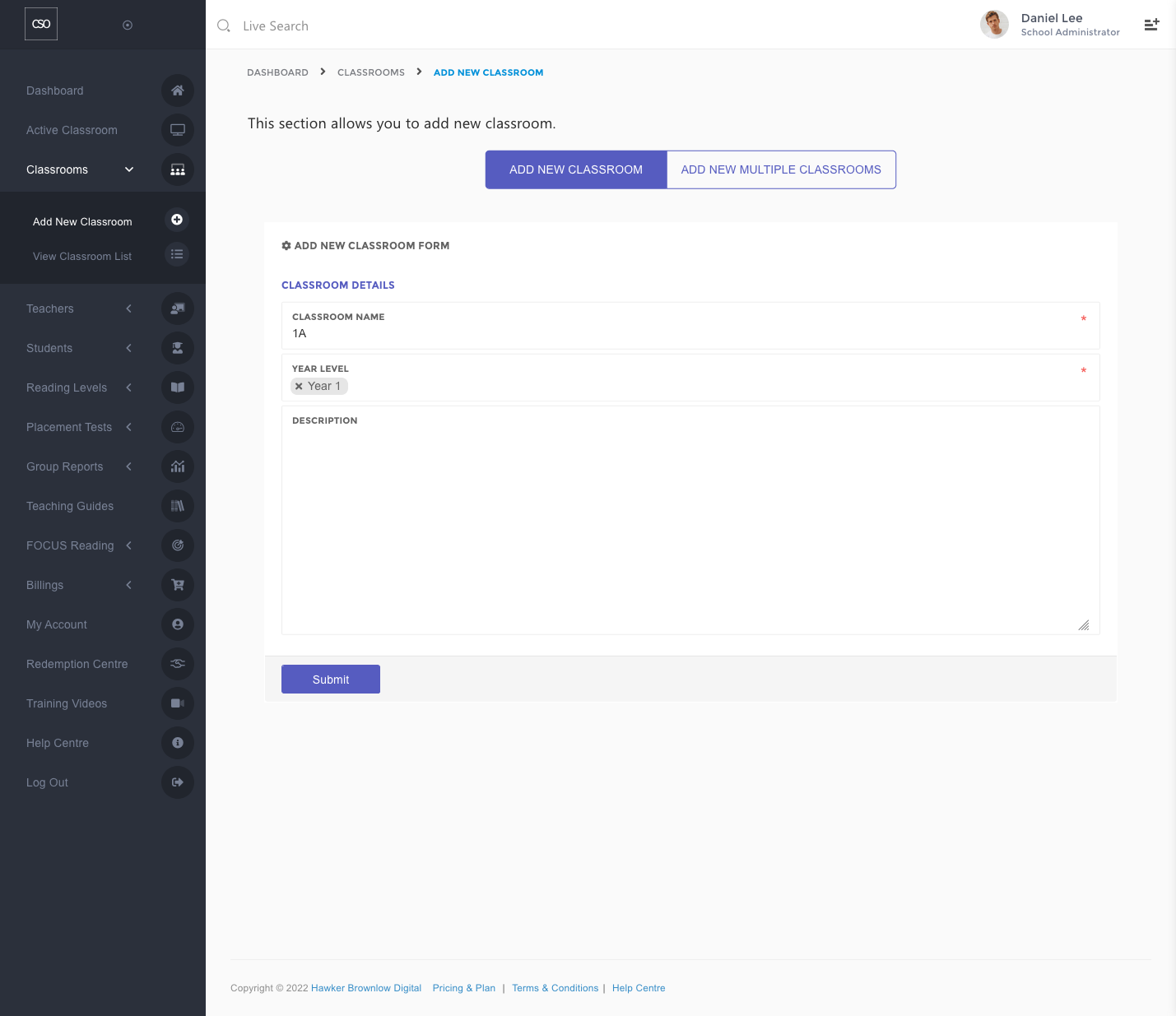
To add a new classroom:
- Enter the classroom name. It is recommended that you also fill in an optional description of the classroom for easier identification.
- Choose the Year Level. You may select multiple year levels if required.
- Click on the Submit button.
View How-to Video
ADD MULTIPLE CLASSROOMS
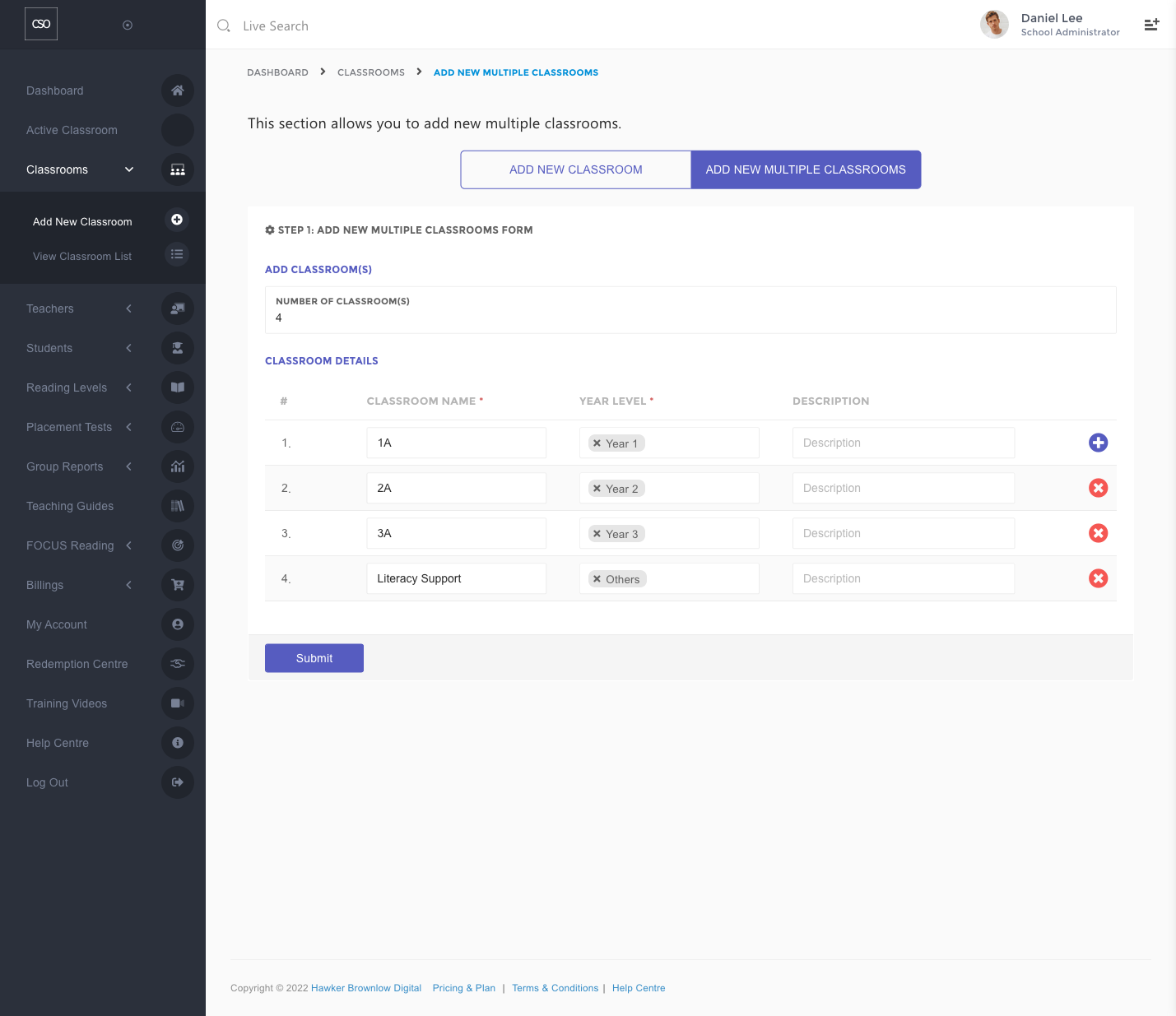
To add new multiple classrooms:
- Enter the number of classrooms that you would like to add.
- Enter the classroom names. It is recommended that you also fill in an optional description of the classrooms for easier identification.
- Choose the Year Level for each classroom. You may select multiple year levels if required.
- Click on the Submit button.
View How-to Video