Child CARS Reports
To access the Individual Child Detailed Reports, click on the child's name in the child listing under View Added Accounts and View Linked Accounts. Additionally, you may also use the Live Search functionality to immediately access the particular child's profile page. You can also directly access the child's profile by using Children Quickview.
Once you are at the Child's Profile Page, click on either the CARS & STARS tab or the FOCUS Reading tab to select which module’s reports you wish to access. Then scroll down to the Detailed Reports section. If you have selected CARS & STARS you will here be able to choose between CARS or STARS reports. This section allows you to choose and view the different types of child reports. These reports provide parents with a wealth of information to monitor and drive the child's growth. Parents can quickly see which child needs attention and the key areas or strategies to target for each child.
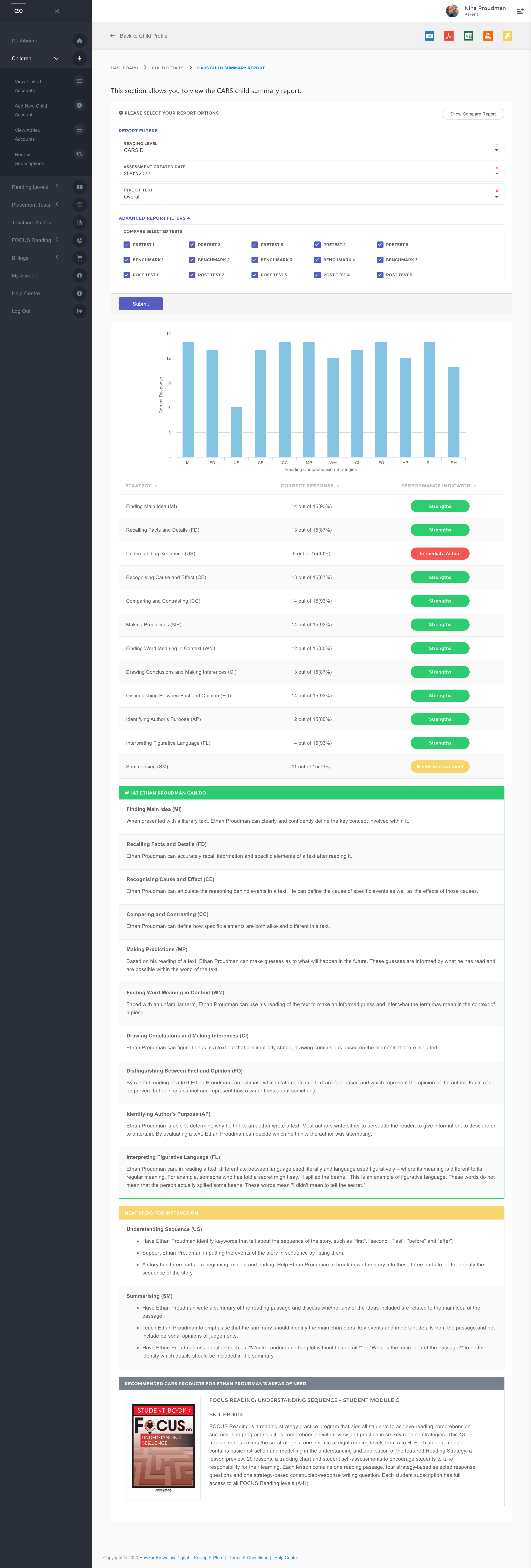
CARS Child Summary Report
This report details each child's test performance within their respective reading level. As this report indicates the child's performance on each test, only those that are fully completed will be displayed.
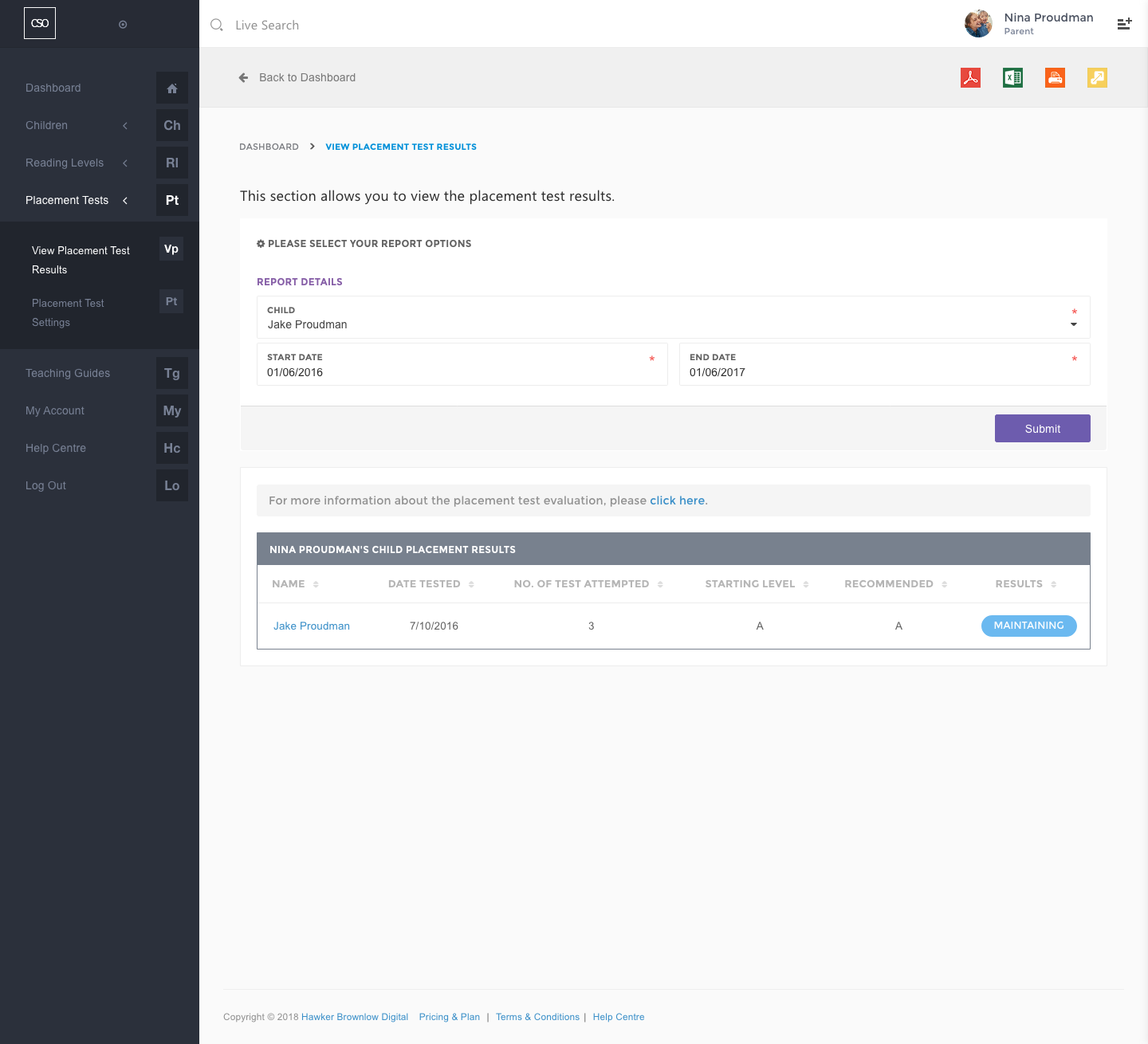
CARS Child Placement Test Results
This report details the child's performance during the placement tests. You can view placement test results as per the image below.
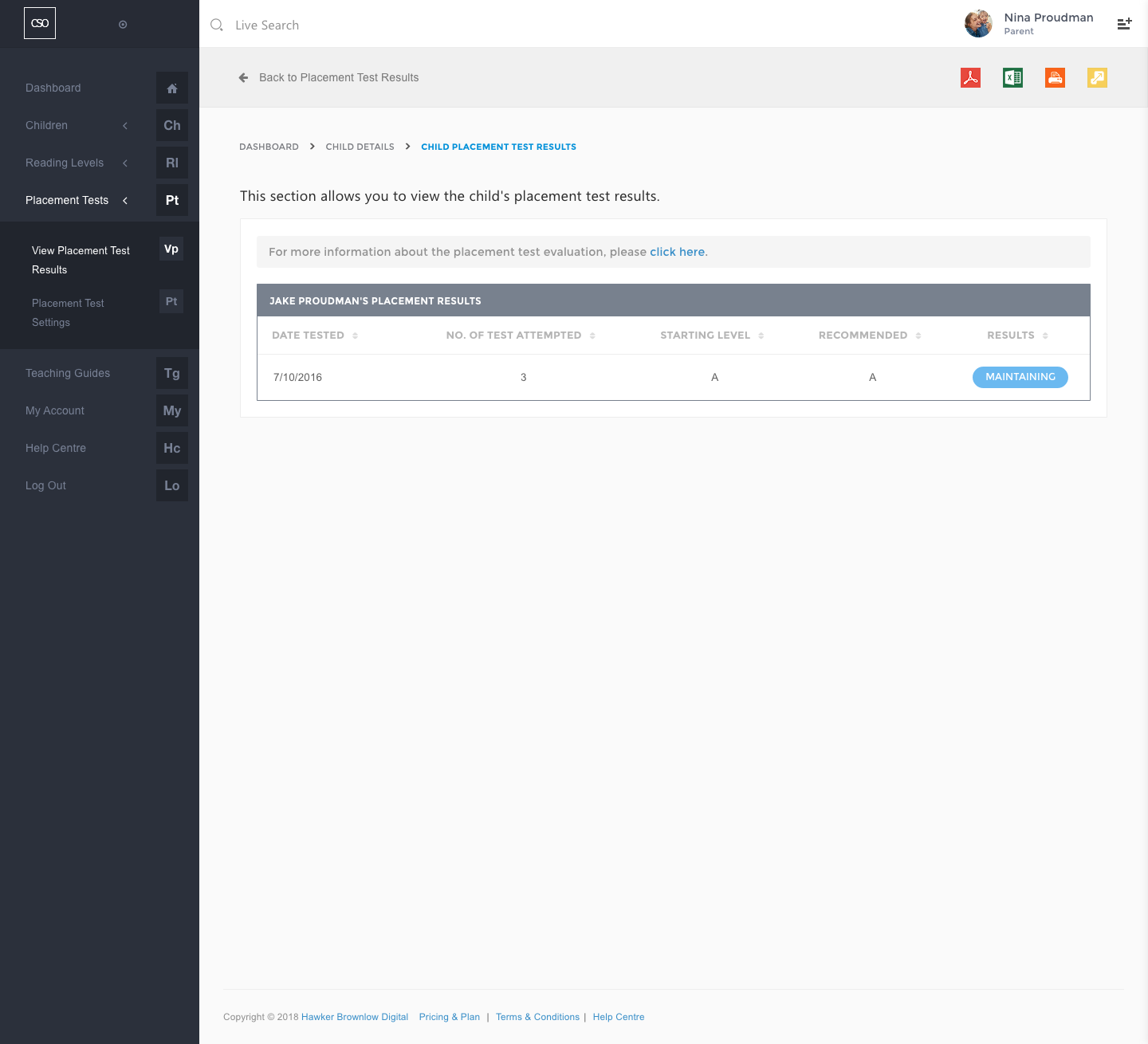
If you click your child's name, it will bring you the Child Placement Test Results as below:
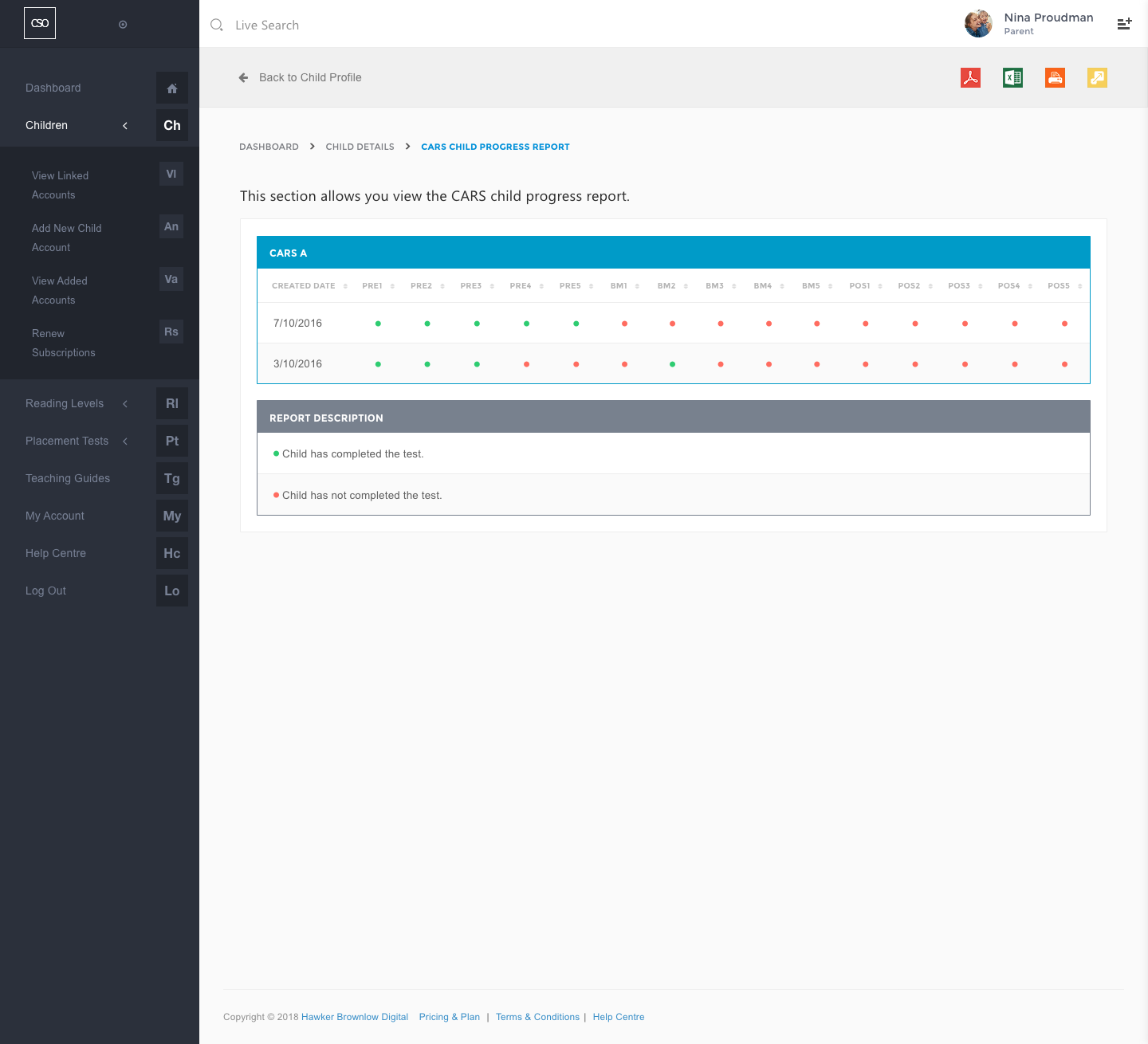
CARS Child Progress Report
This report displays those tests that have and have not been completed in their respective reading levels throughout the child's reading program journey.
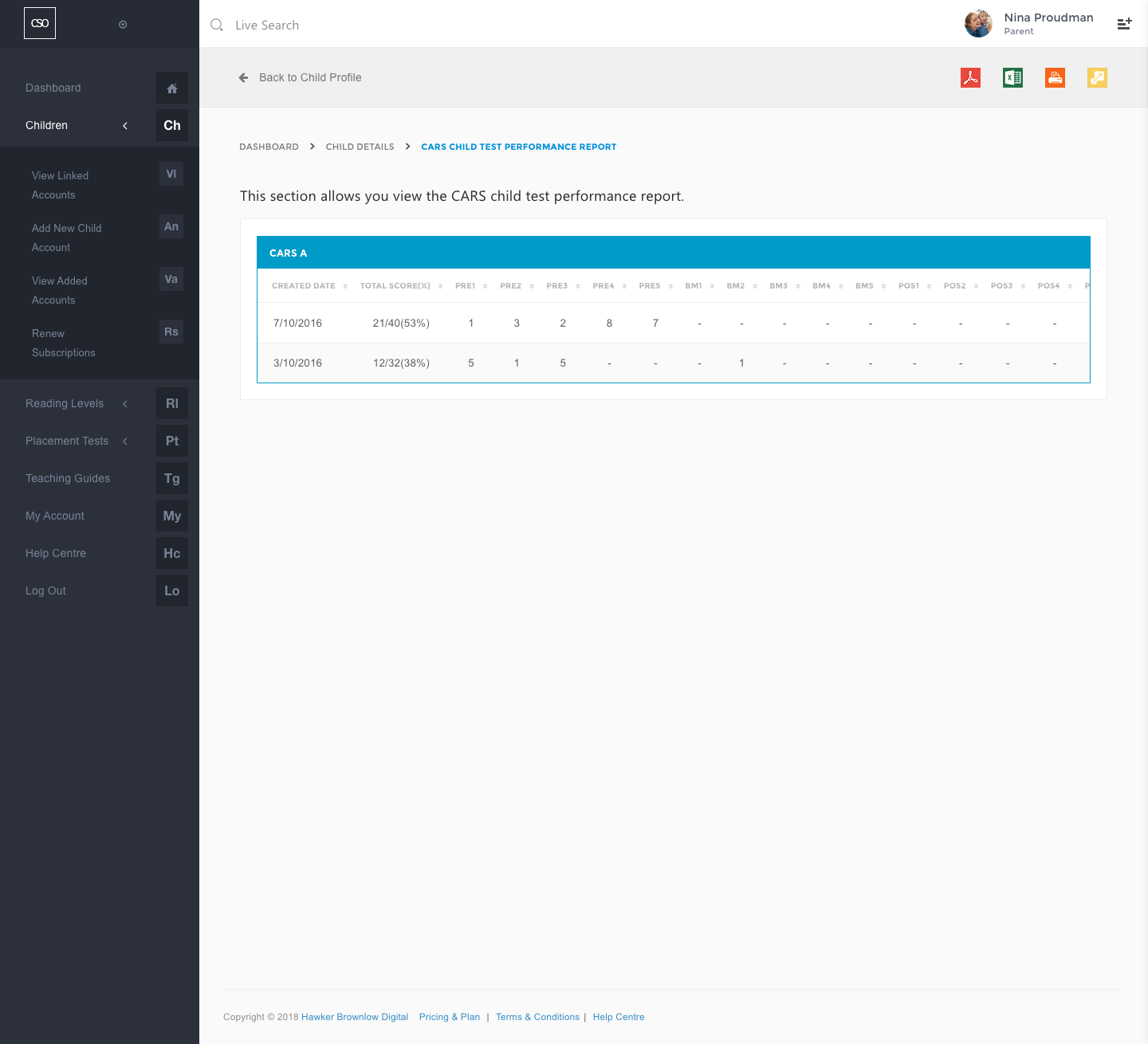
CARS Child Test Performance Report
This report contains the child's test performance results in their respective reading levels throughout the program. As this report indicates performance on each test, only those that are fully completed will be displayed.
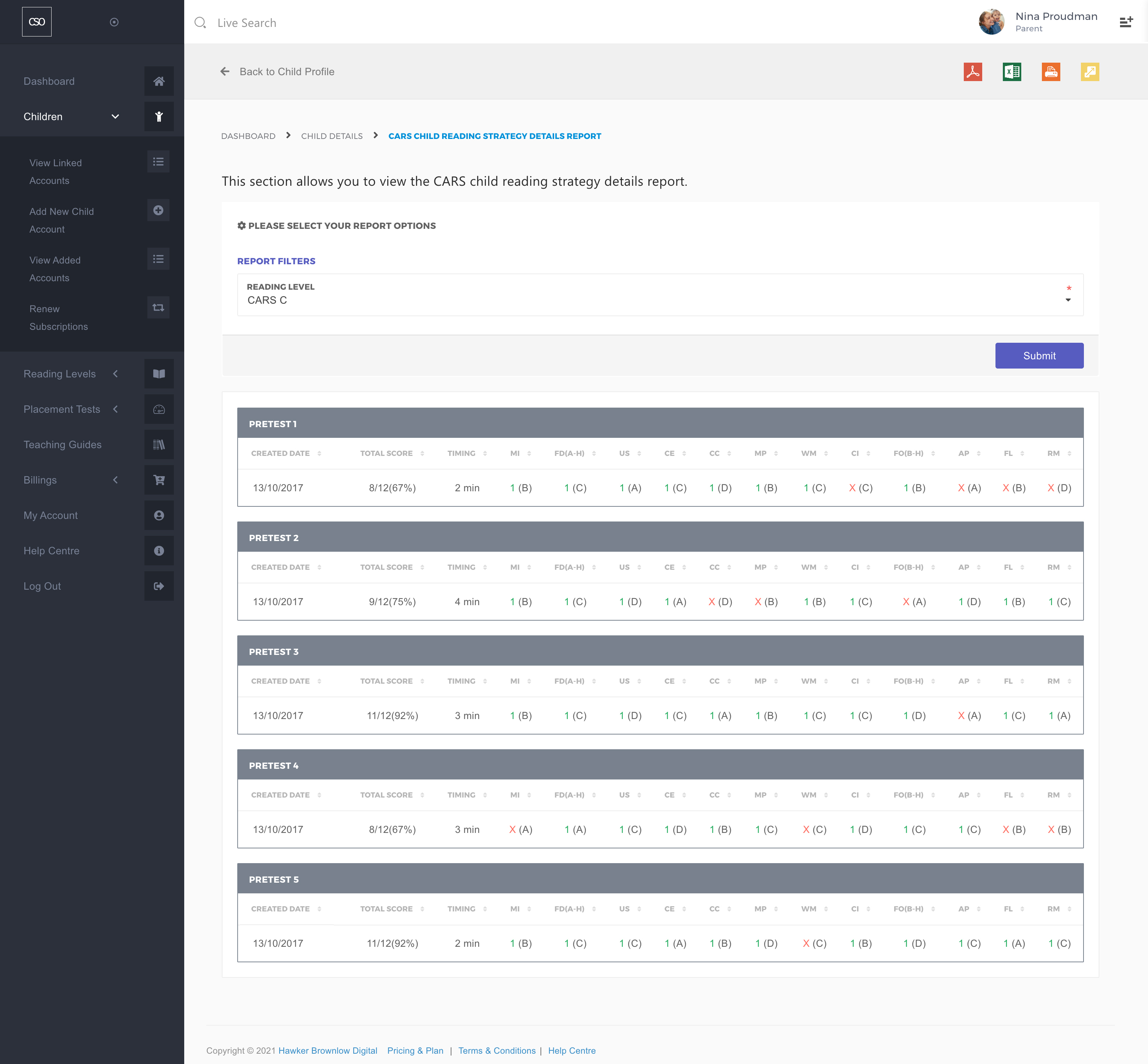
CARS Child Reading Strategy Details Report
An overview of each child's reading strategy performance, showing the results of those questions that have been attempted and how long they took with the Timing feature.
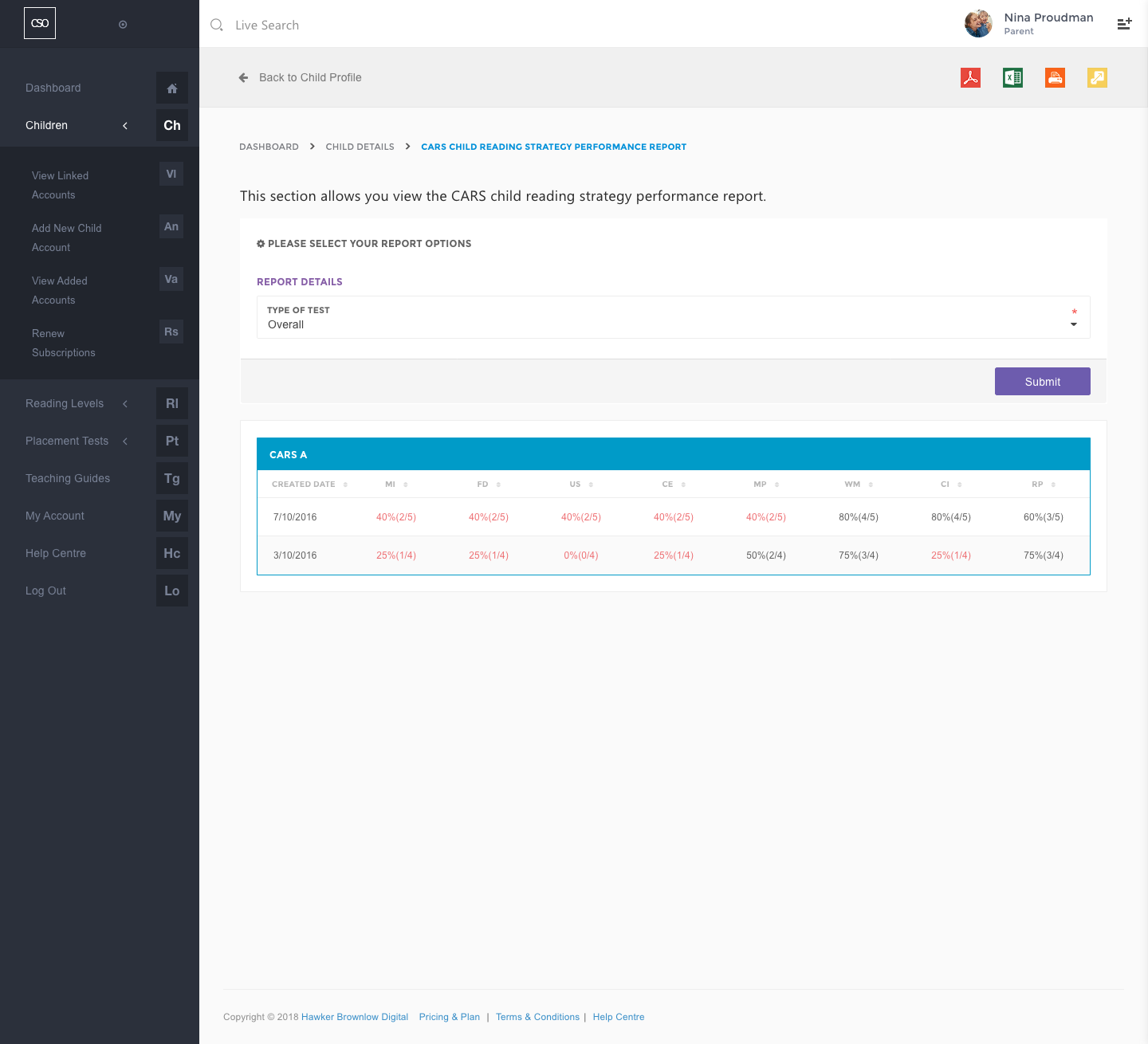
CARS Child Reading Strategy Performance Report
This report contains the child's strategy performance results in their respective reading levels throughout the program. This report will display the results for each reading strategy, therefore it will only display the results of those questions that have been attempted.