
Highlight Text
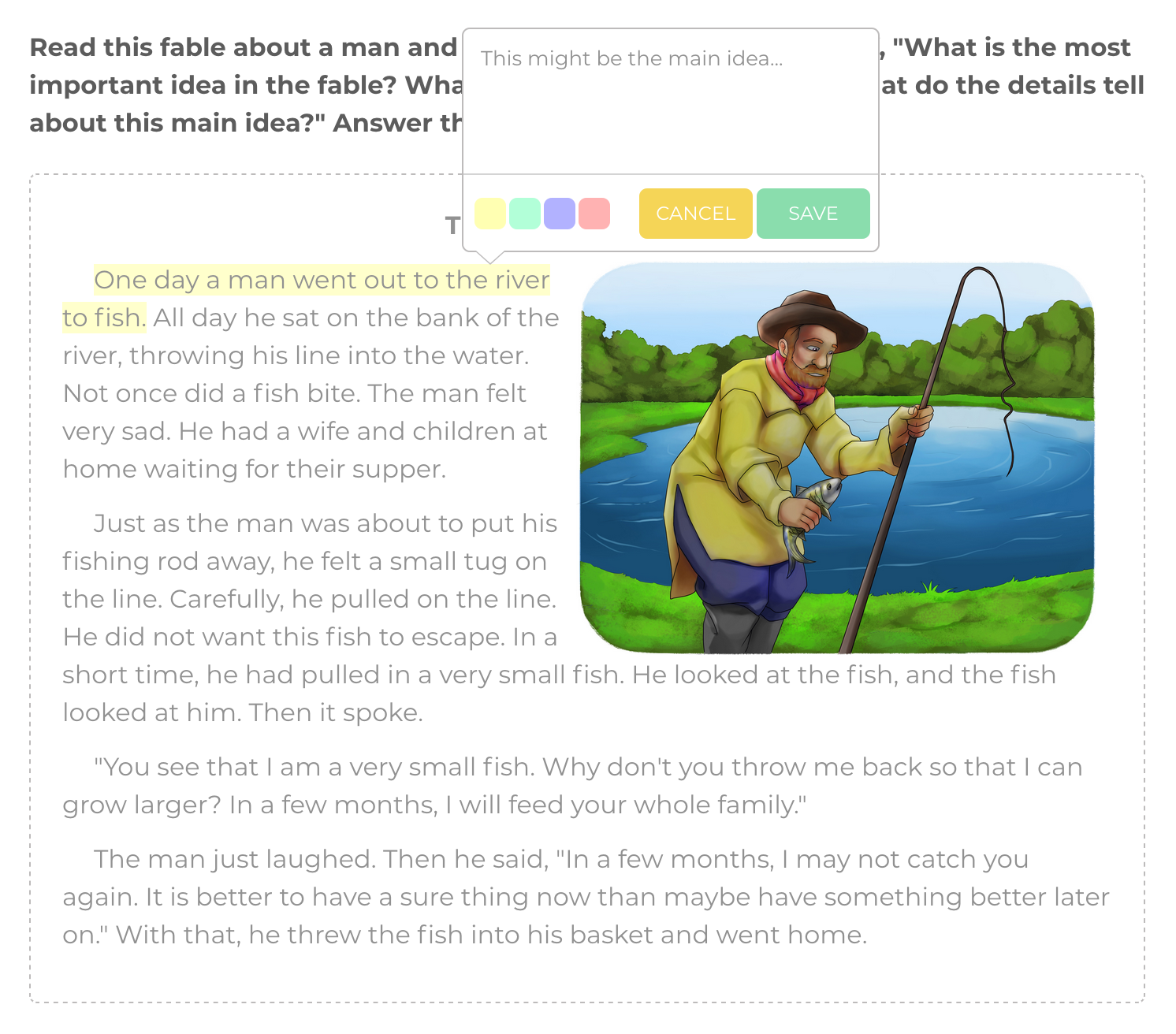
Please follow these step-by-step instructions to highlight the text found in the FOCUS Reading passage.
Mac, Laptop and PC Instructions
- Highlight the text.
- Choose a colour.
- Type in the captions (if required).
- Click the Save button.
iPad, Mobile and Tablet Instructions
- Highlight the text.
- Touch the Pencil icon (bottom right-hand corner of the screen).
- Choose a colour.
- Type in the captions (if required).
- Click the Save button.
View How-to Video