
Assign FOCUS Reading Level
You can directly assign an individual reading level for children to begin with.
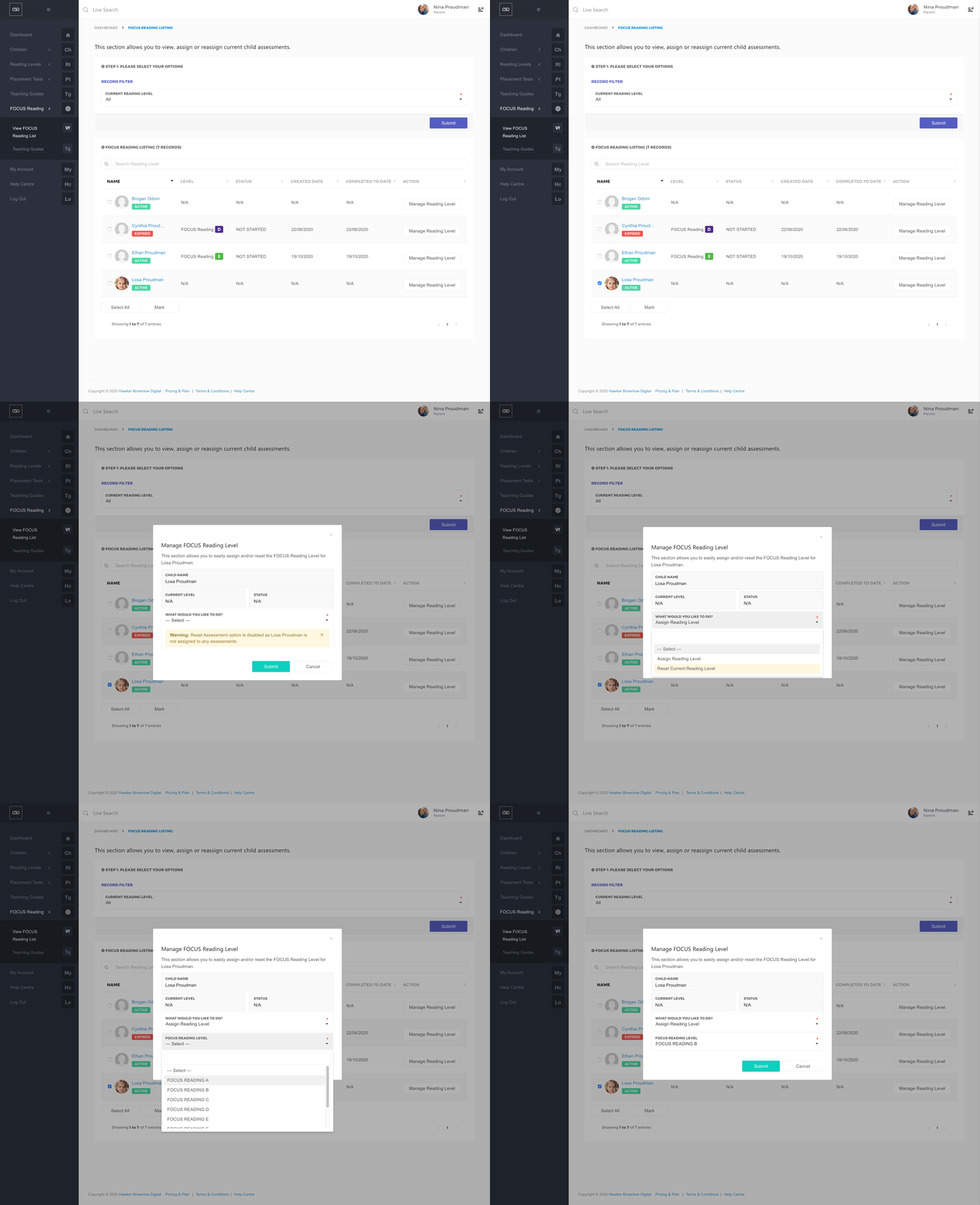
- Navigate to the main menu and click on FOCUS Reading, then View FOCUS Reading List.
- Choose the All option from the Current Reading Level field.
- Click the Submit button.
Assign Reading Level to a single child
- To assign a reading level to an individual child, move your cursor onto the child’s row and, under the Action column, click on the Manage Reading Level button.
- In the What Would You Like to Do? field, choose Assign Reading Level.
- Choose a reading level from the Reading Level field.
- Click on the Submit button.