Can my students skip the placement test and work on benchmarks and post tests?

Yes, if your students have started the Pretests using the hardcopy CARS booklet or you are already aware of your student’s reading level, you can assign your students manually to their reading level by following the steps provided below.
Once your students have logged in with their access code, instruct them to skip the Pretests and proceed to Benchmarks and Post Tests.
The steps to skip the Pretests as follow:
Click the Explore button when your student at Current Reading Level.
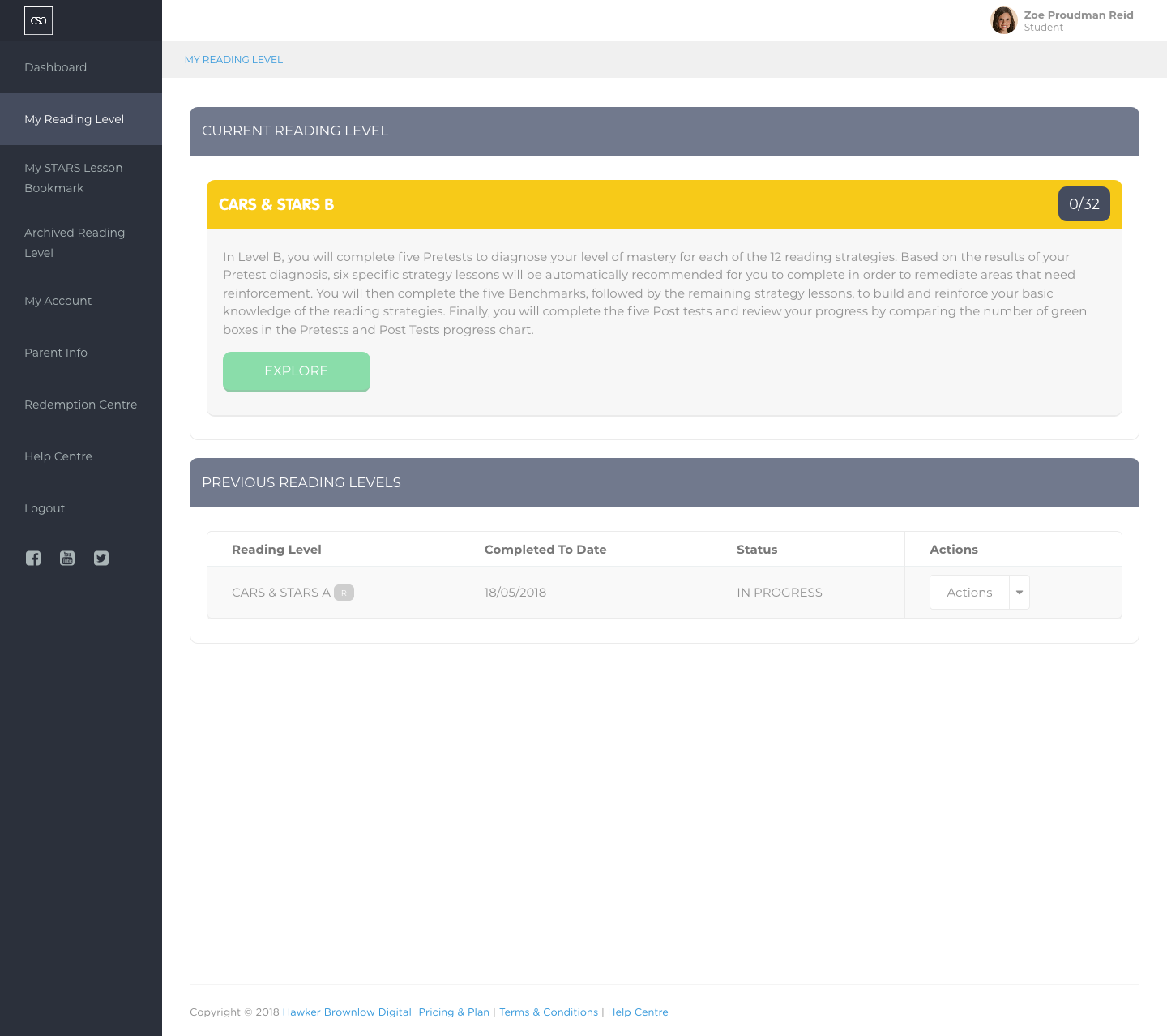
Then, click Get Started at CARS Benchmark.

Your student will be working at Benchmarks. Click the Begin button to start the assessment.
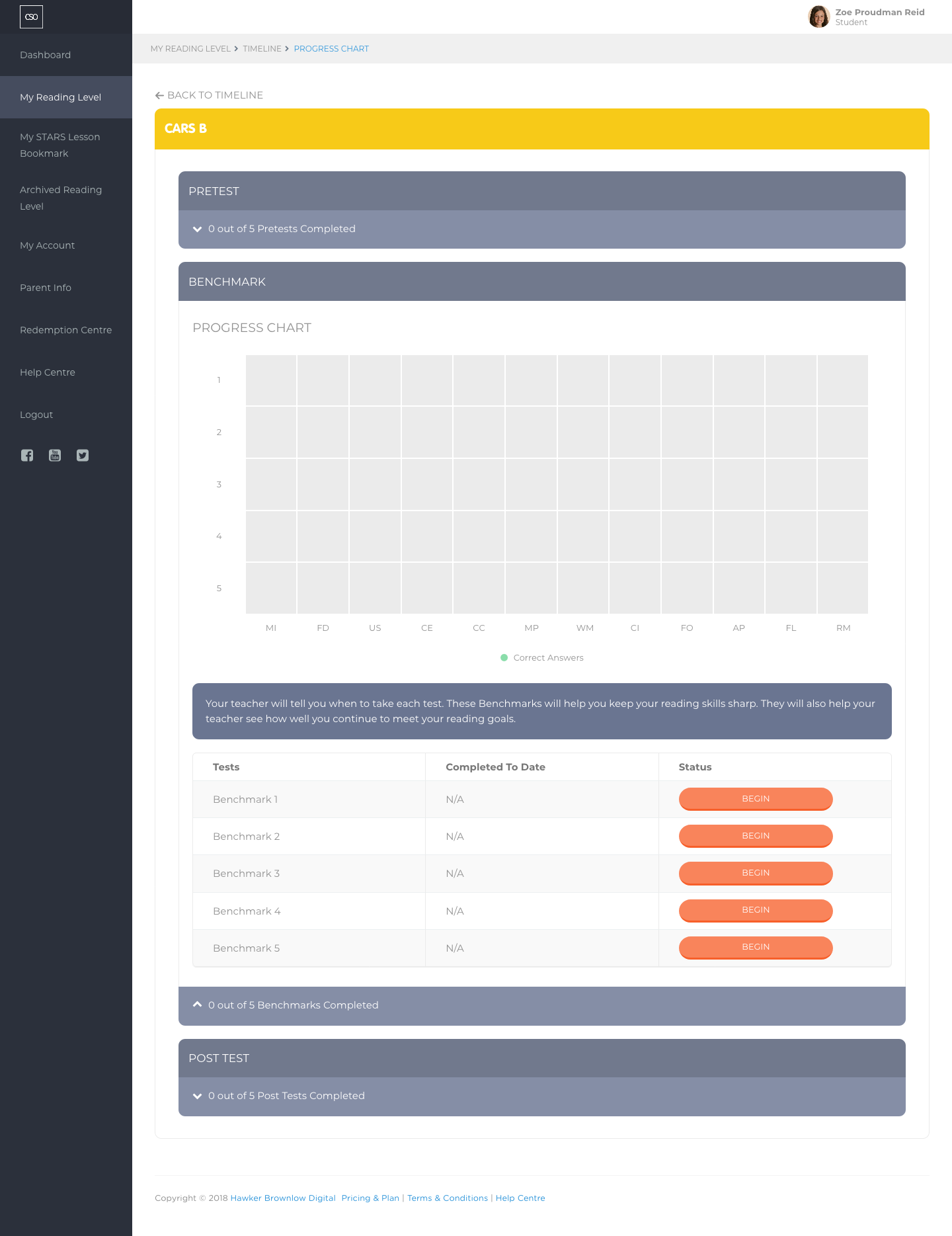
Assign CARS Level Assessment
- Navigate to the main menu, and click on the Reading Level section.
- Click on View Reading Level List.
- Choose the Classroom and the Current Reading Level. If you have just imported the student’s details into the system, the default Level would be Placement Test.
At this point, you can assign reading levels to single or multiple students in a class.
Assign reading level to a single student
- You can assign an assessment for a single student by selecting the student row and, under the Actions column, clicking on the Manage Reading Level button.
- In the What Would You Like to Do? field, choose Assign Reading Level.
- Choose a single reading level from the Reading Level field.
- Click on the Submit button.
Assign reading level to a small group
- You can assign an assessment for a group of students in the same reading level by selecting the checkbox next to the student’s image and clicking on the Mark button.
- Please ensure that you have the correct number of students selected.
- In the What Would You Like to Do? field, choose Assign Reading Level to the selected students.
- Choose a single reading level from the Reading Level field.
- Click on the Submit button.
Assign reading level to the whole class
- You can assign an assessment for the whole class by clicking on the View All button, if applicable, followed by the Select All button.
- Click on the Mark button.
- Please ensure that you have the correct number of students selected.
- In the What Would You Like to Do? field, choose Assign Reading Level to the selected students.
- Choose a single reading level from the Reading Level field.
- Click on the Submit button.
Please sign in to leave a comment.
Comments
0 comments