Am I able to reset a Post test if the student has completed that before completing the Pretests and Benchmarking tests?

Yes, at any time you may reset the tests found in the CARS assessment.
Reset CARS Level Assessment
- Navigate to the main menu (left hand side of the page), and click on the Reading Levels section
- Click on View Reading Level List link
- Choose the appropriate Classroom and Current Reading Level.
- Click Submit button
Follow the below steps to reset test(s) to single or multiple students in a class.
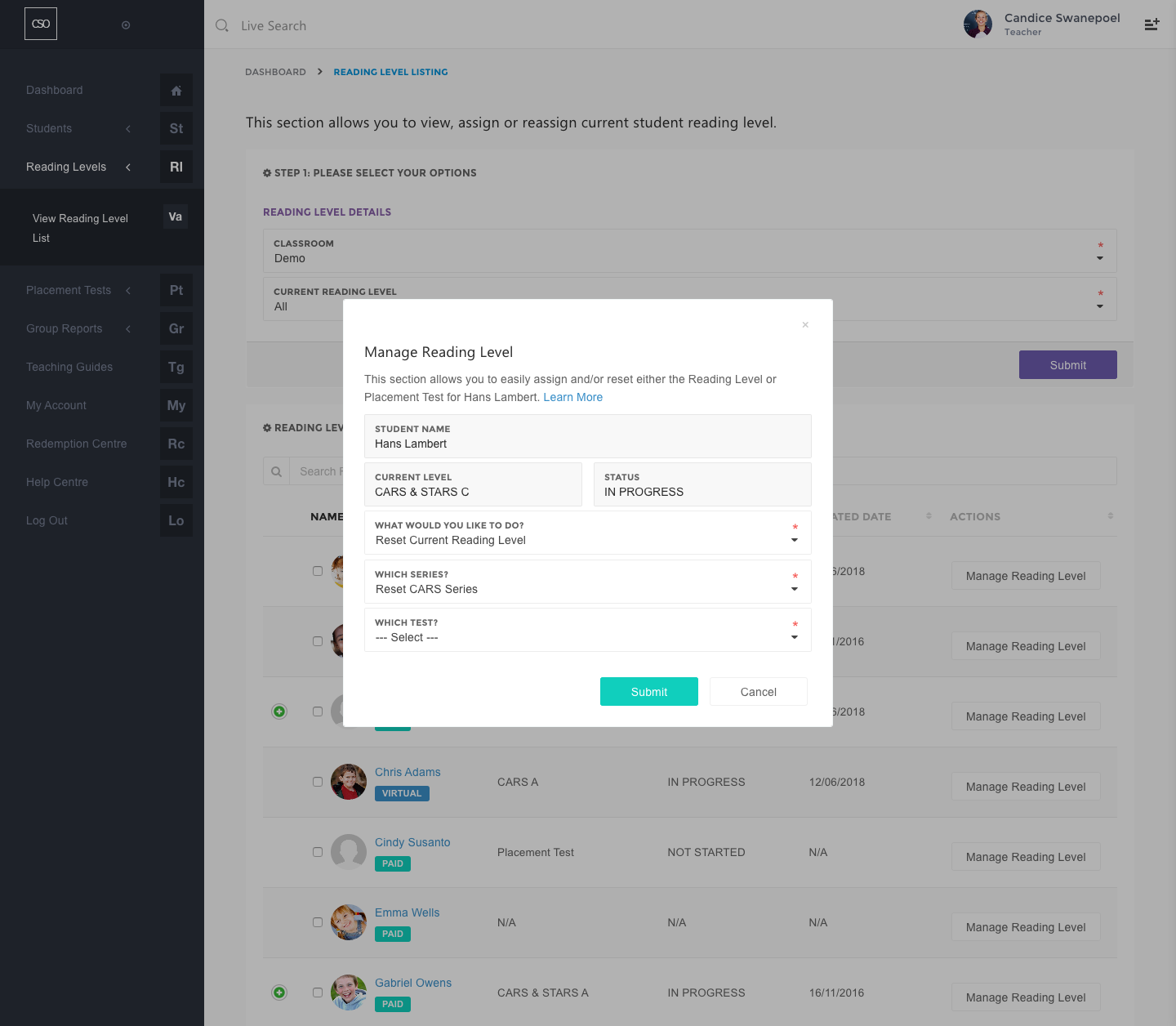
Reset test(s) for a single student:
- Locate the student row and, under the Action column, clicking on the Manage Reading Level button. You can also find the Manage Reading Level button on the student profile page.
- In the What Would You Like to Do? field, choose Reset Current Reading Level option.
- Choose the series to reset in the Which Series? field. You can "Reset CARS Series", "Reset STARS Series" or "Reset CARS & STARS Series Completely".
- Then choose the tests to reset in the Which Test? field.
- Click on the Submit button.
Reset test(s) for the entire class:
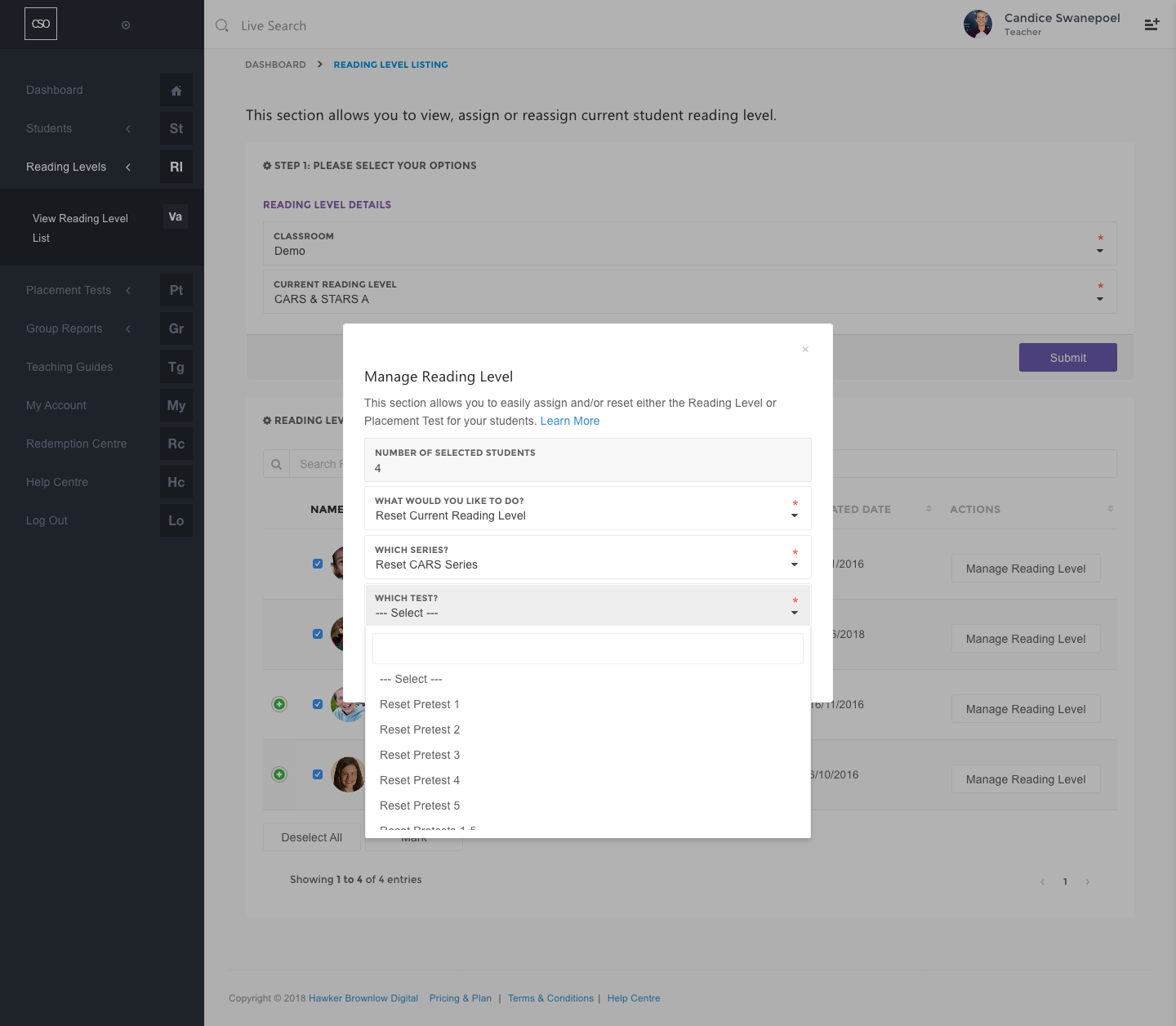
- You can reset the tests for the entire class by clicking on the View All button, if applicable.
- Select all the students in the class by clicking the Select All button followed by the Mark button.
- Please ensure that you have the correct number of students selected.
- In the What Would You Like to Do? field, choose Reset Current Reading Level option.
- Choose the series you would like to reset in the Which Series? field.
- Choose the test you would like to reset in the Which Test? field.
- Click on the Submit button.
0
Please sign in to leave a comment.
Comments
0 comments